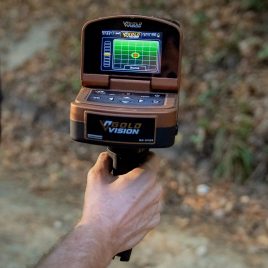


Getting the OKM EXP 7000 scan modes explained before purchase can save you from choosing a professional scanner for the wrong reason.
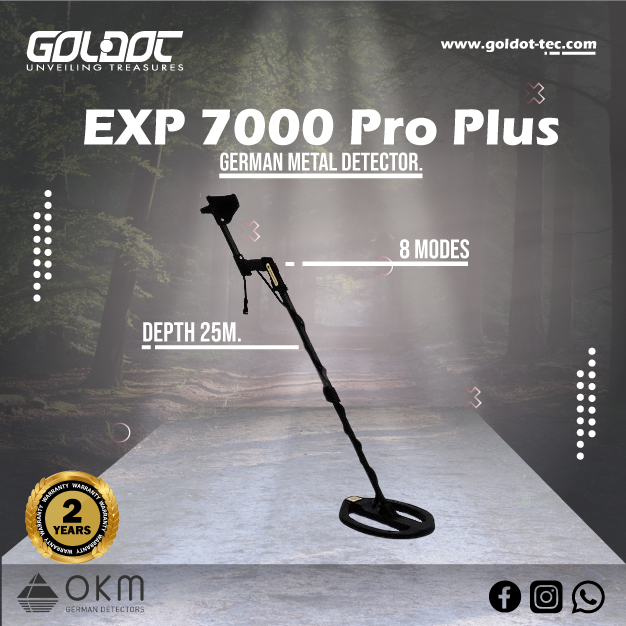
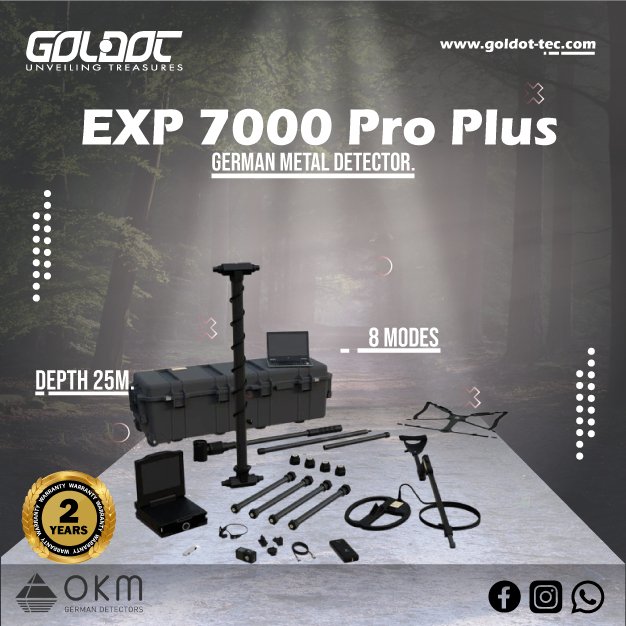
The eXp 7000 Professional Plus does not rely on one detection method. OKM gives the system eight operating modes for different search questions. These modes include 3D Ground Scan, Magnetometer, Live Scan, Mineral Scan, Tunnel Scan and Pinpointer. The device also adds VLF Metal Detection and 3D VLF Scan.
This range makes the eXp 7000 suitable for buyers who need more than simple metal detection.
However, you should not use every mode during every survey.
A professional archaeological investigation needs a different workflow from natural gold prospecting. Searching for a possible cavity also requires another method. Coin and relic detection can make the VLF system more relevant.
The best purchase starts with your real target.
Your terrain, search area and experience also matter. Soil conditions and mineralization can influence results. Scan technique affects 3D data quality as well.
No mode can guarantee gold, treasure, a tunnel or a fixed detection depth.
Instead, use each mode to answer a specific question. Then compare important results before making an excavation decision.
You can inspect the EXP 7000 Professional Plus configuration before choosing the package for your projects.
Connect Each EXP 7000 Mode to a Real Search Objective
The eXp 7000 offers many functions, but the menu should not control your survey.
Your objective should control the menu.
Before you start, define what you need to investigate.
Ask:
- Are you looking for buried metallic objects?
- Do you need a structured 3D ground model?
- Are natural gold deposits the main objective?
- Are you investigating a possible tunnel or cavity?
- Do you need fast real-time feedback?
- Are shallow ferrous objects interfering with the site?
- Do you need precise follow-up after finding an anomaly?
- Will you review the scan later in professional software?
These questions make mode selection much easier.
Know the Eight Official EXP 7000 Modes
OKM currently lists eight operating modes:
- 3D Ground Scan.
- Magnetometer.
- Live Scan.
- Mineral Scan.
- Tunnel Scan.
- Pinpointer.
- 3D VLF Scan.
- VLF Metal Detection.
Each mode follows a different purpose.
For buyers, that creates flexibility.
It also creates a learning requirement.
A beginner should not expect to master the complete system in one field session. Training becomes valuable because each mode needs the correct sensor, search pattern and interpretation approach.
Use Magnetometer and Live Scan for Preliminary Site Checks
A detailed 3D scan takes planning.
Sometimes you first need to understand the site.
Magnetometer and Live Scan can support this early stage, although they perform different jobs.
Use Magnetometer to Check Shallow Ferrous Interference
OKM describes Magnetometer mode as a way to find small ferrous objects near the surface before a 3D Ground Scan. Typical examples include nails, cans and screws.
This step can improve survey planning.
Imagine scanning an archaeological site with modern iron debris scattered across the surface. Those objects may create unwanted responses.
Magnetometer mode can help you identify them first.
Remove movable interference when site rules allow it.
Then perform the structured scan.
Do not use Magnetometer as proof of a deep treasure target. Its role in this workflow is mainly preliminary site preparation.
Use Live Scan for Immediate Feedback
Live Scan provides real-time visualization of underground changes.
OKM currently offers both 3D View and Top View within this workflow. The mode can help users observe anomalies while they move through the site.
This makes Live Scan useful for reconnaissance.
You can examine an area before investing time in a complete grid.
If you notice a repeatable response, mark the location.
Then perform a more structured scan.
Live Scan should guide the next step. It should not automatically replace detailed data collection.
Apply 3D Ground Scan for Structured Underground Investigation
3D Ground Scan forms one of the core eXp 7000 workflows.
It suits users who need organized subsurface data rather than one immediate target sound.
OKM sends the collected scan information into Visualizer 3D Studio for detailed analysis.
The quality of that model starts with field technique.
Define the Grid Before You Start
Mark the survey boundaries first.
Choose one scan direction.
Then maintain a consistent movement pattern.
Record:
- Start point.
- End point.
- Scan direction.
- Ground conditions.
- Visible obstacles.
- Nearby metal.
- Changes in terrain.
- Sensor configuration.
- Scan name.
Good notes make later analysis easier.
They also help you relocate an anomaly.
A visually impressive model has limited value if you cannot connect it to the correct field position.
Keep Scan Direction and Movement Consistent
Avoid random walking.
Use parallel scan lines.
Maintain a controlled pace.
Keep the sensor orientation consistent.
If terrain forces you away from the planned line, record that change.
A clean field process gives Visualizer 3D Studio better data to work with.
Software cannot fully repair poor collection.
For buyers, this is one reason professional training adds value to the eXp 7000 package.
Use the SuperSense System According to the Survey Area
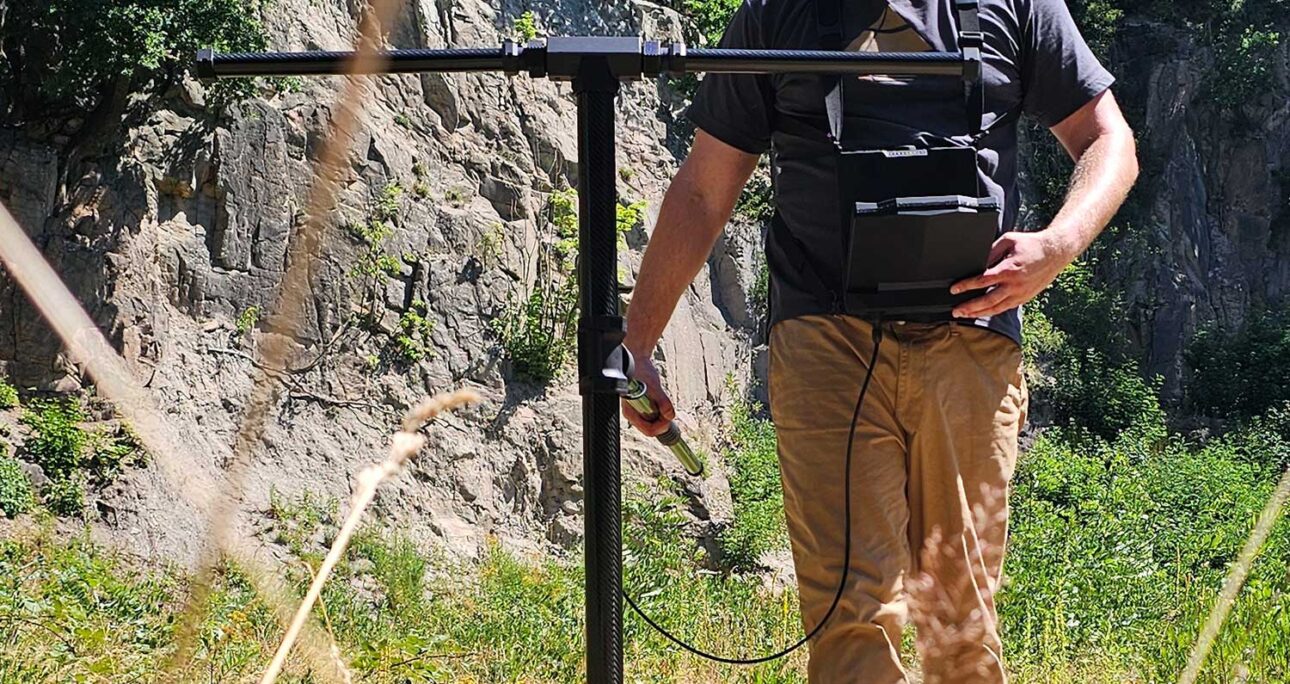
The eXp 7000 Professional Plus includes the Super Sensor and four Extenders in the official delivery scope.
Users can change the SuperSense configuration according to terrain and survey width.
With all four Extenders installed, OKM’s SuperSense System X7 operates seven sensor pairs at once. This arrangement can reduce the number of passes needed across wide areas.
That feature can matter to professional teams.
Choose the Sensor Width Around Terrain
Open ground gives you more room.
A wider sensor setup may improve survey efficiency there.
Narrow environments need another approach.
Caves, rocky spaces, vegetation and restricted paths may make the single Super Sensor more practical.
Do not choose the largest sensor arrangement automatically.
Ask whether the terrain allows controlled movement.
Wider coverage offers little benefit when obstacles prevent consistent scanning.
Confirm the Professional Plus Package Before Ordering
OKM currently lists equipment such as:
- Control Unit.
- Super Sensor with LED Orbit.
- Four Extenders.
- VLF Coil X7.
- Detachable Carrying Rod.
- Telescopic Rod.
- Bluetooth headphones.
- Power Pack.
- Pre-configured Windows notebook.
- Visualizer 3D Studio Professional Edition.
- Protective transport case.
OKM also notes that the final delivery scope can change with technical development or model configuration.
Confirm the current Goldot-Tec package before completing your order.
Use Live Scan for Follow-Up Without Rushing Interpretation
Live Scan becomes useful again after preliminary scanning.
You can return to an interesting location and examine it in real time.
OKM specifically positions Live Scan for real-time target and anomaly localization.
Treat Live Indications as Guidance
A strong visual response deserves attention.
It does not prove target identity.
Approach the area again.
Move from another direction.
Check whether the response remains in the same location.
Ask:
- Does the signal repeat?
- Does it appear from another direction?
- Does nearby ground show the same behavior?
- Could surface metal explain it?
- Did terrain affect sensor movement?
A repeatable anomaly gives you better evidence.
Still, you may need another mode before making a decision.
Use Pinpointer After You Narrow the Search Area
Pinpointer mode serves a more focused purpose.
OKM uses it for target localization after the operator identifies an area of interest. The current interface also shows scan-line information and signal strength.
Use Pinpointer late in the workflow.
Do not start a large survey with it.
A useful sequence may look like this:
- Evaluate the site.
- Perform preliminary checks.
- Create a structured scan.
- Review the anomaly.
- Return with Live Scan.
- Use Pinpointer for closer localization.
That sequence keeps each mode focused.
Choose Mineral Scan for Natural Gold Prospecting
Natural gold prospecting requires another search question.
OKM includes Mineral Scan specifically for mineralized zones and potential natural gold deposits.
This mode should not be confused with ordinary coin detection.
Understand What Mineral Scan Can Tell You
Mineral Scan analyzes ground responses associated with mineralization.
The current eXp 7000 interface includes a percentage-based color distribution map. OKM uses this display to help users evaluate mineralized areas.
However, mineralization does not automatically equal gold.
The operator must consider geology and field context.
Use the result to prioritize locations for further investigation.
Avoid presenting one color zone as guaranteed proof of a deposit.
Choose Mineral Scan When Prospecting Drives the Purchase
This mode adds commercial value for a specific buyer.
A natural gold prospector may use Mineral Scan often.
An archaeological survey team may use it less.
A coin hunter may not need it at all.
The eXp 7000 makes more sense when several of its specialist modes match your real work.
Do not buy a professional multi-mode scanner simply because it has a longer feature list.
Use Tunnel Scan for Cavity and Void Investigation
Tunnel Scan focuses on another type of underground feature.
OKM designed this mode to investigate tunnels, cavities and other underground voids.
That makes it relevant to archaeological and structural search projects.
Repeat Possible Void Responses
Cavity interpretation requires caution.
A visual anomaly can have several causes.
Ground changes may affect sensor data.
Operator technique can also create poor scan patterns.
When Tunnel Scan shows an interesting response:
- Mark the location.
- Repeat the measurement.
- Change direction when possible.
- Compare nearby ground.
- Review site history.
- Check other scan modes when relevant.
Use the evidence together.
Do not classify one scan as a confirmed chamber or tunnel without verification.
Know When GPR May Be the Better Tool
The eXp 7000 offers 3D ground scanning and Tunnel Scan.
That does not make it a Ground Penetrating Radar system.
GPR sends radar energy into the ground and records reflected signals.
Professional projects that specifically require radargrams need true GPR equipment.
If your client requires engineering-style radar data, choose the technology around that requirement.
Do not use “3D imaging” and “GPR” as interchangeable terms.
Use VLF Metal Detection for Direct Metal Searching
The eXp 7000 also includes a dedicated VLF coil.
This system serves direct metal detection.
OKM states that VLF Metal Detection suits near-surface targets such as coins, rings, jewelry and small artifacts.
Use VLF When the Target Is Metallic
A conventional VLF workflow gives quick feedback.
This mode can suit:
- Coins.
- Jewelry.
- Relics.
- Militaria.
- Small metallic artifacts.
- Defined shallow metal searches.
The current system also provides Target-ID Zones and Pinpoint functions within the VLF workflow.
These features can help users evaluate metallic responses.
Target ID still does not guarantee that the object contains gold.
Treat it as identification guidance.
Understand the Difference Between VLF and Pulse Induction
The eXp 7000 uses VLF for its direct metal-detection system.
Pulse Induction works differently.
PI detectors send electromagnetic pulses and often suit difficult mineralized ground or larger deep-metal searches.
The best choice depends on the target.
A customer focused almost entirely on deep metallic objects may prefer a dedicated PI detector.
An eXp 7000 buyer usually values the wider combination of 3D scanning and specialist survey modes.
Understand What 3D VLF Scan Adds
3D VLF Scan combines VLF metal-detection measurements with an area-mapping workflow.
OKM saves those measurements for later visualization in Visualizer 3D Studio.
This mode creates an interesting middle ground.
You keep the VLF sensing technology.
However, you collect information across an area for later visual review.
Use 3D VLF Scan When Mapping Metallic Responses Matters
Traditional VLF searching often stops each time the detector produces a target response.
3D VLF Scan allows a different approach.
The operator can first map the area.
Later, the team can review target positions in the software.
This workflow can suit archaeological sites where immediate digging is not practical.
It may also help professional users document metallic responses before excavation.
Do not confuse this mode with the main 3D Ground Scan.
Both produce visual data, but they use different sensing technologies.
Compare Results Before You Classify an Anomaly
Eight modes can provide more information.
They can also create more confusion when the operator treats every response as confirmation.
Use a second method when the target justifies it.
Repeat Anomalies From a Perpendicular Direction
A single scan direction can hide collection errors.
Repeat important areas from another direction when possible.
Then compare:
- Location.
- Shape.
- Signal strength.
- Width.
- Continuity.
- Nearby ground.
- Surface conditions.
A stable response across repeated measurements deserves more attention.
An anomaly that disappears completely may require another scan before excavation.
Match the Second Mode to the Question
Do not combine modes randomly.
Use Magnetometer when shallow ferrous interference may be involved.
Choose VLF when you need direct metal detection.
Use Live Scan for real-time follow-up.
Select Pinpointer when you need closer target localization.
Tunnel Scan makes more sense for suspected cavities.
Mineral Scan suits natural gold prospecting.
Each mode should add a different piece of information.
Preserve EXP 7000 Scan Data for Professional Review
Professional scanning creates value after the field session too.
The eXp 7000 stores scan data and supports transfer to the included Windows notebook.
Visualizer 3D Studio Professional Edition handles detailed post-scan analysis.
Label Files by Mode and Sensor Configuration
Create a simple naming system.
Include:
- Project name.
- Site section.
- Date.
- Scan mode.
- Sensor setup.
- Scan direction.
- File number.
Clear labels make comparisons easier.
They also help when you send data for another opinion.
Preserve the Original Data
Keep an untouched copy of each important scan.
Create separate working copies for analysis.
Do not overwrite the original file.
Add field notes and site photographs when useful.
These records create a better reporting workflow.
Professional buyers should consider data management before purchasing the scanner.
Hardware alone does not create a complete survey process.
Decide Whether the EXP 7000 Is the Right Technology for Your Project
The eXp 7000 Professional Plus is a specialist multi-mode platform.
It may offer more functionality than some buyers need.
That does not make it the right device for every target.
Choose EXP 7000 When You Need Several Survey Workflows
The system deserves consideration when your projects involve several of these tasks:
- Structured 3D ground scanning.
- Live anomaly checking.
- Natural gold prospecting.
- Tunnel or cavity investigation.
- Ferrous-object reconnaissance.
- VLF metal detection.
- 3D mapping of VLF responses.
- Detailed software analysis.
- Professional archaeological work.
Teams that use several modes can extract more value from the package.
Training becomes important at this level.
Choose Another Technology When the Job Is Simpler
A standard VLF detector may serve coin and relic hunting more efficiently.
A dedicated PI detector may fit deep-metal projects better.
A professional GPR system becomes necessary when the project specifically needs radar measurements.
Long-range systems also follow another search methodology.
They target broad reconnaissance rather than controlled sensor scans across a defined grid.
You can explore OKM scanners available from Goldot-Tec if you want to compare the eXp 7000 with other OKM systems.
You can also compare underground imaging equipment by application before finalizing the purchase.
Purchase the EXP 7000 Configuration Your Projects Require
The best eXp 7000 order starts with a project description.
Do not begin with “I want the strongest scanner.”
Tell Goldot-Tec what you need to investigate.
Submit Your Target and Site Details
Prepare information about:
- Main target type.
- Expected target size.
- Typical terrain.
- Soil conditions.
- Mineralization.
- Search-area dimensions.
- Need for cavity investigation.
- Need for natural gold prospecting.
- Need for VLF detection.
- Previous 3D scanner experience.
- Reporting requirements.
- Team skill level.
This information helps match the scanner to your work.
It also helps determine whether the eXp 7000 is necessary.
Another OKM model may provide a better fit.
Confirm Module Compatibility and Training
The Professional Plus package currently combines the Super Sensor, Extenders and VLF Coil X7 with professional visualization software.
Confirm the current configuration when you order.
Ask Goldot-Tec about:
- Included sensors.
- VLF coil.
- SuperSense Extenders.
- Windows notebook.
- Visualizer 3D Studio license.
- Current accessories.
- Software setup.
- Mode-specific training.
- Technical support.
- Current availability.
Training should cover the modes you actually need.
A professional archaeologist may prioritize 3D Ground Scan, Magnetometer and Live Scan.
A prospector may need Mineral Scan training.
Another buyer may focus on VLF and 3D VLF workflows.
Choose training around the project.
OKM EXP 7000 Scan Modes FAQs
Is the OKM EXP 7000 suitable for a beginner?
A beginner can learn the eXp 7000, but the eight operating modes create a professional learning curve. Start with the modes that match your real targets. Learn proper scan technique before attempting complex interpretation. Goldot-Tec training can also help you build a repeatable workflow instead of switching between modes without a clear purpose.
Which EXP 7000 mode should I use for gold?
The answer depends on the type of gold. Mineral Scan focuses on natural gold deposits and mineralized zones. VLF Metal Detection suits metallic objects such as jewelry and smaller artifacts. 3D Ground Scan serves broader subsurface investigation. No mode can guarantee gold. Choose the workflow according to target form, terrain and site conditions.
Can the EXP 7000 replace VLF, Pulse Induction and GPR detectors?
Not in every application. The eXp 7000 includes its own VLF metal-detection system and advanced 3D scanning functions. A dedicated PI detector may better suit some deep-metal projects. GPR uses radar technology and serves another type of professional subsurface survey. Choose the technology that matches the search objective rather than assuming one scanner replaces every system.
Choose EXP 7000 Modes Around the Work You Actually Perform
Understanding OKM EXP 7000 scan modes explained shows why this scanner works best as a complete professional workflow, with each mode designed for a different detection task.
Magnetometer helps identify shallow ferrous interference, while Live Scan provides immediate visual feedback. 3D Ground Scan creates data for professional analysis, and Mineral Scan supports natural gold prospecting.
Tunnel Scan focuses on underground voids, Pinpointer helps localize detected areas, and VLF Metal Detection provides direct metal searching. 3D VLF Scan adds mapped VLF data for later visual review.
Do not use every mode simply because it is available. Start with your target, choose the appropriate sensing technology, collect data consistently, and repeat important anomalies before considering excavation.
The eXp 7000 Professional Plus is best suited to users who can benefit from multiple professional workflows. Simpler projects may not require this level of equipment.
Contact Goldot-Tec with your target type, terrain, survey area, and experience. The team can help compare configurations, compatible OKM scanners, current packages, and training options Choose the EXP 7000 because its capabilities match your actual projects—not simply because it offers many features.