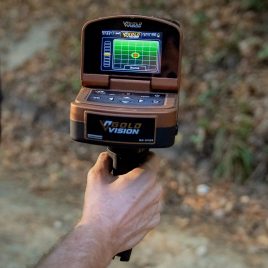


A useful Titan 1000 setup guide should begin with one decision. You need to know which search system matches your target before you assemble the equipment.
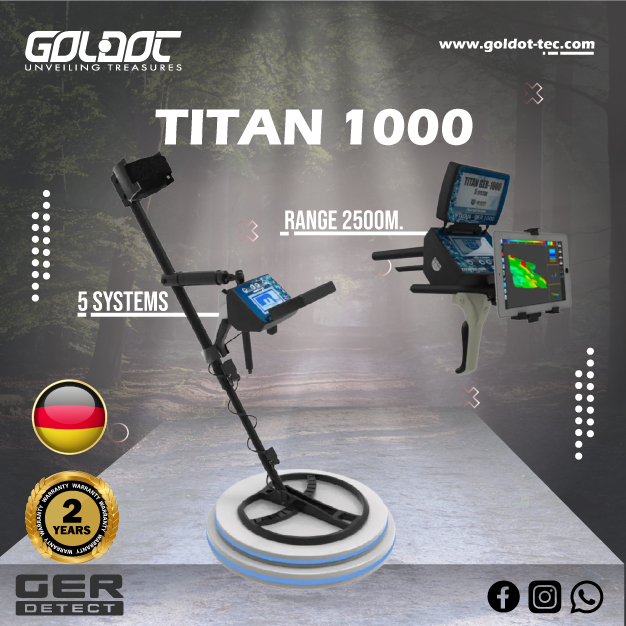
The TITAN GER 1000 combines five search systems in one platform. GER Detect lists Long Range, Ionic Fields, 3D Imaging, Magnetometer and Pulse Induction as separate operating systems. Each system serves a different search workflow.
That difference matters during your first survey.
You should not install every accessory and switch between systems without a plan. Start with your target type. Then consider the terrain, search area and level of detail you need.
For example, a broad reconnaissance search needs another workflow from direct metal detection. A 3D imaging survey also requires more structured movement than a preliminary long-range check.
The Titan GER 1000 can offer useful flexibility when you actually need several detection methods. However, a simpler detector may suit a single-purpose search better.
Results also depend on target dimensions, soil, mineralization, interference and operator technique. No search mode can guarantee gold, treasure, cavities or a fixed depth.
Before choosing the system, you can view the Titan GER 1000 package at Goldot and discuss your normal search conditions with the team.
Match the Titan 1000 System to the Intended Target
Your first setup decision should happen before you power on the detector.
Define the search objective.
GER Detect describes five systems inside the Titan GER 1000:
- Long Range Detection
- Ionic Fields Search
- 3D Imaging
- Magnetometer
- Pulse Induction
The manufacturer treats these as different technologies and workflows.
Choose one method because it answers a clear question.
Choose Long Range for Preliminary Reconnaissance
The Long Range System targets broad-area searching.
GER Detect describes it as a directional system. The operator selects a target category and uses the unit to investigate a wider area.
Treat this mode as preliminary reconnaissance.
Do not consider a directional response final proof of a buried object. Mark the suspected area and verify it through another suitable method.
This approach creates a better field workflow.
Long Range can help reduce the initial search area. Pulse Induction or another close-range system can then inspect the marked zone.
That distinction should also guide your purchase.
Buy Titan GER 1000 for Long Range work only when broad reconnaissance forms part of your normal search process.
Use Pulse Induction for Direct Metal Detection
The Titan also includes a Pulse Induction system.
GER Detect confirms that the PI section uses dedicated search coils and includes automatic ground calibration. The current product documentation also lists two coil sizes among the available equipment.
Pulse Induction focuses on metallic targets.
This system makes more sense when you need to pass a coil directly across the search area.
PI and Long Range do not perform the same job.
A directional Long Range indication can suggest where to investigate. The PI coil provides a direct metal-detection workflow over the ground itself.
Verify Components Before Starting the Titan GER 1000
A multi-system detector includes several accessories because each system needs different hardware.
Check the package before entering the search site.
GER Detect currently lists items such as the coils, antennas, ionic sensor, Long Range unit, imaging sensor, battery, headphones and charging equipment. The package also includes various mounting and transport components.
Your exact supplied package should still be confirmed when you order.
Manufacturers can update accessories or package configurations.
Choose the Operating Method Before Installing Accessories
Do not assemble every component at once.
Select the search method first.
If you plan to run Pulse Induction, prepare the correct coil and shaft configuration.
A Long Range session requires its own antenna and system components.
The Ionic workflow uses the corresponding sensor.
Imaging and Magnetometer work also depend on their relevant sensor configuration.
This simple approach reduces setup mistakes.
It also protects connectors from unnecessary repeated assembly.
Check the Power System Before Deployment
The manufacturer lists a rechargeable external lithium-ion power source for Titan GER 1000.
Charge it before a serious survey.
Inspect the connection before switching systems. Look for obvious cable damage or loose connectors.
Do not begin a remote project with an uncertain power source.
A spare charging plan can also help during long field sessions.
Use the supplied charging equipment and follow the current user manual.
Avoid unapproved modifications to batteries or charging connections.
Prepare the Search Area Before Calibration or Scanning
The quality of your setup depends partly on the site.
Nearby metal can affect some search methods. Electrical infrastructure may also introduce interference.
Take a few minutes to inspect the area first.
Keep Avoidable Metallic Interference Away
Move unnecessary metallic equipment away from your initial test location.
Vehicles, tools and other large metal objects can complicate interpretation.
You should also note fences, power systems and permanent structures that you cannot remove.
Do not hide these conditions from your field notes.
They may explain unusual responses later.
When you test the detector, choose a clean reference area when possible.
This helps you understand normal background behavior before you enter the main target zone.
Record Soil and Terrain Conditions
Ground changes can affect detector response.
Write down whether the site contains heavy mineralization, wet ground, rocks or other unusual conditions.
The Titan’s PI system includes manufacturer-described automatic ground calibration. Still, no calibration system removes every effect from every soil.
Terrain also changes how consistently you can move.
Rough ground may require slower search passes.
Dense vegetation can limit imaging or coil movement.
A multi-system detector offers flexibility here because you can select a workflow that fits the site.
Configure the Selected Titan 1000 System Step by Step
Do not copy settings from another search method.
Set up the chosen system according to its own workflow.
The user manual should remain your main reference for menu steps and connections.
A setup guide should explain the logic behind those choices.
Configure Long Range as a Search-Area Reduction Tool
Start with a defined search sector.
Know where you will stand and which direction you intend to investigate.
Avoid turning every movement into a target indication.
Repeat suspected directions.
Then change your position and check whether the response remains meaningful.
The manufacturer allows users to select different target categories within the Long Range menu.
Treat these selections as part of the manufacturer’s operating workflow.
They do not provide laboratory-level material confirmation underground.
Use a second search technology before excavation.
Configure Pulse Induction Around Ground Stability
The PI system needs stable operation.
Assemble the appropriate search coil.
Check the connector.
Then allow the ground-calibration process to work according to the manual.
Use controlled coil movement.
Avoid swinging excessively high at the end of each pass.
A repeatable target response matters more than one strong sound.
Mineralized ground, wet soil and nearby interference may affect behavior.
Change one operating factor at a time if the detector becomes unstable.
That method makes troubleshooting easier.
Establish Direction, Grid and Reference Points
Not every Titan 1000 system needs the same grid.
Structured imaging benefits most from clear reference points.
Direct PI searching can also benefit from organized lanes.
A grid reduces missed sections.
It also helps you return to a suspected location.
Mark Start and Finish Points
Set physical references before a controlled survey.
Know where each pass begins.
Know where it ends.
Maintain the same direction during one dataset when using a structured imaging workflow.
If an obstacle forces you to change direction, record it.
The goal is repeatability.
Random movement makes comparison harder.
A field marker, site sketch or digital note can help you relocate an anomaly later.
Maintain Consistent Sensor Orientation
Keep the relevant sensor or coil stable during each pass.
Avoid unnecessary rotation.
Maintain a similar movement speed where terrain allows.
An inconsistent scan can create changes that come from the operator rather than the ground.
This problem matters most when you later review visual information.
A 3D image cannot repair data that the operator collected poorly.
Good imaging starts in the field.
Use 3D Imaging as a Structured Follow-Up Method
GER Detect lists a dedicated 3D Imaging System in Titan GER 1000.
The manufacturer’s interface presents underground scan information from multiple viewing directions.
That visual workflow can help you study a defined search zone.
However, do not treat the resulting image as a photograph of an underground object.
Use Visual Anomalies as Evidence, Not Proof
A strong visual pattern can justify further investigation.
Several factors can still create anomalies.
Soil changes, mineralization and scanning errors may influence the result.
Target geometry can also change the appearance.
Repeat important scans.
Approach the area from another direction when possible.
Compare the location with another Titan system.
If a suspected anomaly also produces a stable PI response, you gain another type of evidence.
You still cannot guarantee that the metal is gold before recovery.
Do Not Confuse Titan Imaging With GPR
This distinction matters for commercial buyers.
Titan GER 1000 includes an imaging system, but GER Detect does not describe the unit as a Ground Penetrating Radar platform.
GPR sends radar energy into the ground and measures reflected signals.
Titan’s 3D Imaging System follows another sensing workflow.
Therefore, a customer who specifically needs radargrams should consider a genuine GPR system instead.
Do not buy Titan 1000 expecting engineering-style radar data simply because it offers 3D visualization.
Use Magnetometer for Magnetic-Metal Checks
Titan GER 1000 includes a Magnetometer mode.
GER Detect describes it as a system for magnetic metals, including iron.
This can add another useful step during site assessment.
Separate Ferrous Interference From Other Search Questions
Iron can create unwanted responses at a site.
A Magnetometer check can help you identify areas affected by magnetic metal.
This information can improve later scanning.
For example, a strong iron response may explain an anomaly that looked interesting during another search.
Do not confuse Magnetometer with PI.
Pulse Induction responds to conductive metal using another detection principle.
The Magnetometer focuses on changes associated with magnetic materials.
Using both methods can help you understand a site from different angles.
That is one of the main commercial reasons to consider a multi-system platform.
Treat the Ionic System as a Separate Verification Lead
GER Detect also includes an Ionic Fields System.
The manufacturer describes this mode as a way to search for what it calls ionic fields associated with long-buried objects.
Users should treat these indications cautiously.
Do not use an Ionic response as standalone proof of gold, treasure or another underground target.
Cross-Check Ionic Responses With Another System
Mark a repeatable location first.
Then verify it with a different Titan technology.
Pulse Induction becomes relevant when you suspect metal.
3D Imaging can add another view of the search area.
Magnetometer can help when ferrous material may be involved.
This cross-check workflow gives you more information than one isolated response.
It also protects you from making expensive excavation decisions too early.
For commercial buyers, this point matters.
A five-system detector offers value only when you understand how to combine its systems responsibly.
Cross-Check Suspected Locations Instead of Chasing One Signal
A multi-system platform creates an opportunity for verification.
Use that advantage.
Do not interpret every new system as another way to confirm what you already want to believe.
Approach each test independently.
Repeat the Response First
Return to the location.
Run the same method again.
Check whether the response remains in the same area.
Change your approach direction.
If the signal disappears completely, investigate why.
Operator movement may have caused it.
Interference may also explain the first result.
Repeatability increases confidence.
It does not guarantee target identity.
Add Another Technology Only When It Makes Sense
Choose the second system according to the question.
For a possible metallic target, use PI.
When magnetic iron may explain a response, try the Magnetometer.
A defined underground anomaly can justify imaging.
Long Range makes more sense during broad reconnaissance.
Do not combine systems randomly.
A clear workflow produces clearer decisions.
Understand Titan 1000 Versus VLF, PI, Imaging, GPR and Long Range
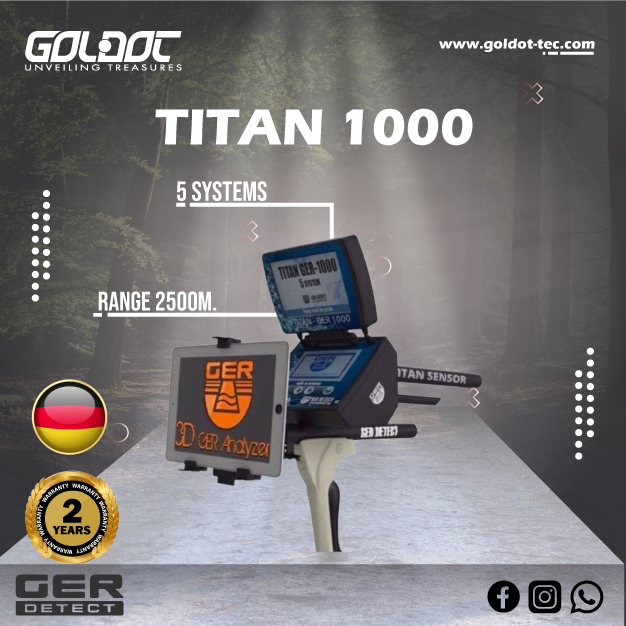
Titan GER 1000 combines several technologies.
That does not mean those technologies become interchangeable.
Understanding the difference helps you decide whether Titan fits your project.
Titan 1000 and VLF Detection
VLF detectors focus directly on metal.
Many models target coins, relics, jewelry or natural gold.
They often provide a simple coil-sweeping workflow.
Titan GER 1000 does not replace every VLF detector.
A customer who only searches parks for coins may prefer a lighter dedicated VLF unit.
Titan makes more sense when several survey methods matter.
Titan 1000 and Pulse Induction
Pulse Induction forms one of Titan’s five systems.
GER Detect also supplies dedicated coils for this workflow.
PI can suit difficult ground and direct metal searching.
A dedicated PI detector may still offer a more focused experience if metal detection is your only goal.
Titan adds value when you also need imaging, reconnaissance or magnetic checks.
Titan 1000 and 3D Imaging
3D Imaging records sensor information for visual interpretation.
The resulting image helps highlight anomalies.
It does not show a literal underground photograph.
Treat colors and shapes as data.
Repeat the scan before making conclusions.
Titan 1000 and GPR
GPR is a radar technology.
Titan’s manufacturer lists no GPR mode among its five systems.
Do not use the terms interchangeably.
Professional radar surveys need a genuine GPR platform.
Titan 1000 and Long Range
Titan already includes a Long Range System.
This method suits broad-area reconnaissance.
Close-range coil searching performs another job.
A professional workflow may start broad and finish with direct verification.
Understanding that sequence helps you use the complete package more effectively.
You can compare multi-purpose metal detectors by workflow when deciding whether Titan or a more focused detector fits your work.
Decide Whether Titan GER 1000 Fits Your Search Team
Titan GER 1000 targets users who need a multi-system search station.
That does not make it necessary for every buyer.
Think about how often your team will use each system.
Titan Makes More Sense for Multi-Stage Searches
Consider Titan when your work regularly combines broad reconnaissance with closer investigation.
It can also fit users who want PI detection and imaging within one package.
Archaeological or treasure-search projects may benefit from several verification methods.
Experienced teams can create a repeatable workflow across those systems.
Training becomes important because each method works differently.
A Simpler Device May Offer Better Value for One Search Type
You may not need five systems.
Choose a dedicated VLF detector for straightforward coin work.
A specialist PI detector may fit deep-metal searching.
Dedicated imaging equipment can suit professional 3D surveys.
GPR becomes the correct category when radar data is essential.
Buying more systems does not automatically improve results.
Buy the system you will actually use.
You can explore Ger Detect systems for professional projects before finalizing your selection.
Order Titan 1000 With Training and After-Sales Support
Professional setup does not end after assembling the device.
A multi-system detector requires operating knowledge.
Goldot-Tec provides product guidance and detector-selection support for customers.
Use that support before and after purchase.
Confirm the Current Package Before Ordering
GER Detect currently lists a broad group of accessories for Titan GER 1000. These include coils, sensors, Long Range components, antennas, charging equipment and transport items.
Confirm exactly what Goldot-Tec supplies with your order.
Do not rely on an old unboxing video.
Package details can change.
Ask about the current sensors, coils and power equipment.
Also confirm warranty and training arrangements.
Request Training for the Systems You Will Actually Use
You may not need equal training on all five systems.
Tell Goldot-Tec your main target.
A buyer focused on direct metal search should prioritize PI operation.
Another user may need help with imaging grids.
Long Range users need a clear reconnaissance workflow.
Professional teams may want training that connects several systems into one verification process.
This approach creates more practical value.
It also reduces the temptation to treat every signal as a discovery.
Titan 1000 Setup FAQs
Is Titan GER 1000 suitable for a beginner?
A beginner can learn Titan GER 1000, but five different systems create a larger learning curve than a single-purpose detector. Start with the system that matches your main target. Learn stable operation before combining methods. Training from Goldot-Tec can help you understand the correct workflow and avoid unnecessary setup changes.
Should I use all five Titan 1000 systems on every target?
No. Each system serves a different search purpose. Long Range fits preliminary reconnaissance. Pulse Induction focuses on direct metal detection. Magnetometer targets magnetic metal responses. 3D Imaging supports visual anomaly investigation. The manufacturer also provides its Ionic system as a separate search method. Choose only the systems that answer your current search question.
Can Titan GER 1000 guarantee gold, treasure or a specific detection depth?
No. GER Detect publishes manufacturer-rated performance figures, but actual results can vary with target size, target material, soil, mineralization, interference, settings and operator technique. Treat displayed depth or target indications as information for further verification rather than guaranteed excavation results.
Configure Titan 1000 Around a Real Search Plan
The most important lesson from this Titan 1000 setup guide is simple: choose the right search system first, then install the matching equipment and verify power and connections before entering the field.
Prepare a clean baseline area, note soil conditions and nearby interference, use controlled passes, and repeat important signals. Whenever possible, cross-check suspected locations with another suitable technology.
Titan GER 1000 combines five search systems, giving professional and serious users flexibility for multi-stage investigations. However, having multiple modes does not remove uncertainty.
Long Range should not replace close-range verification. A 3D visualization is not automatic proof of a target, and the Ionic system should not be treated as standalone confirmation. PI provides direct metal detection but cannot guarantee that a detected target is gold, while Magnetometer results also require proper context.
Choose the Titan GER 1000 when its different workflows match the projects you actually perform. If you only need one detection technology, simpler alternatives may be more practical.
Contact Goldot-Tec with your target type, terrain, and search area. Ask about the current Titan GER 1000 package, compatible components, availability, system-specific training, and project-based comparisons The best detector is not necessarily the one with the most systems. It is the one whose capabilities match the search problems you face in the field.